Dynamic Agents, Generative UI, and RAG with assistant-ui and Microsoft Agent Framework
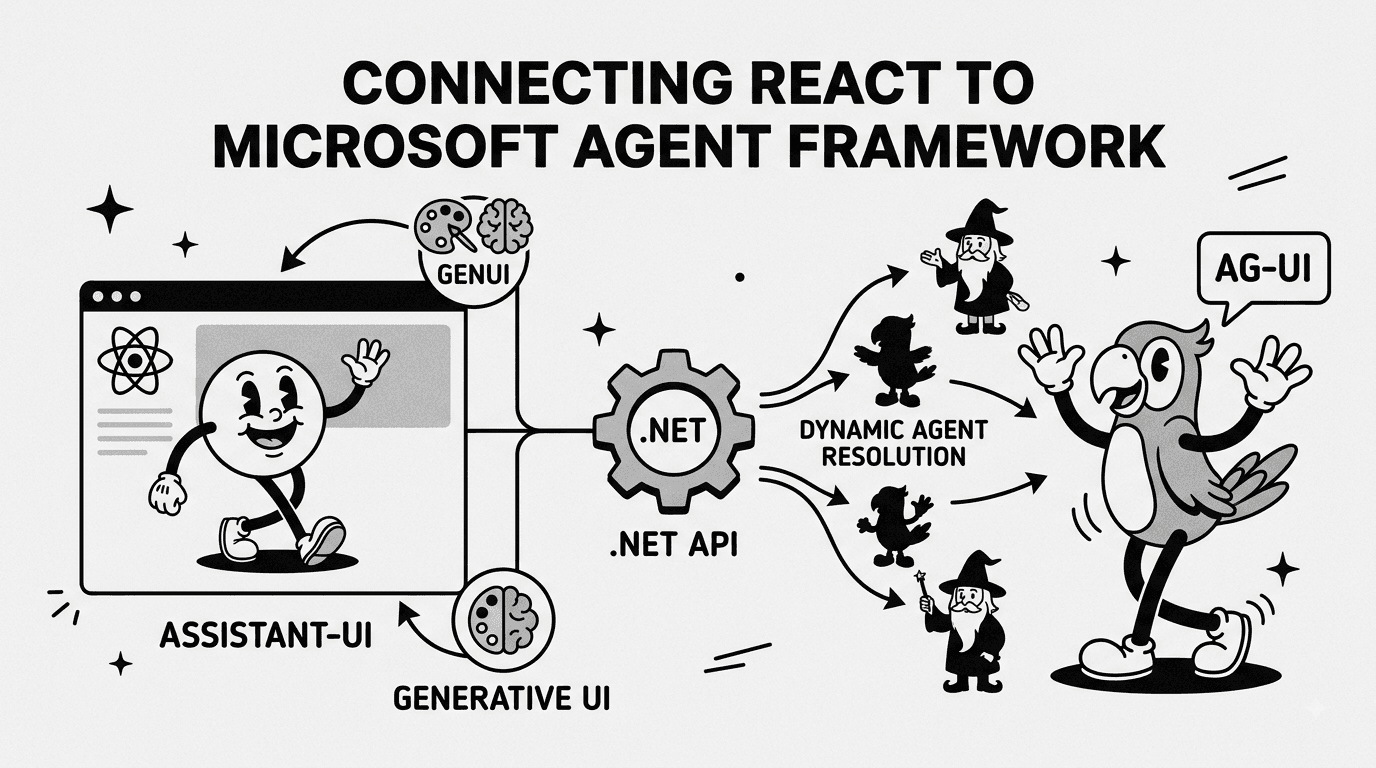
In part one of this series, we wired a single, statically-registered agent to a React frontend using assistant-ui, the Microsoft Agent Framework, and the AG-UI protocol. That got a chat working end-to-end, but it left a callout hanging over the whole implementation:
app.MapAGUIServer("/endpoint", agent)registers a single, globally scopedAIAgentinstance at startup. If your application requires dynamic agent resolution... you must currently bypassMapAGUIServerand implement custom HTTP middleware or endpoint routing.
This post is that bypass. Since part one, I've significantly reworked the codebase to support:
- Dynamic agent resolution - building an
AIAgentper request from configuration, instead of one instance for the lifetime of the app. - Generative UI - rendering custom React components driven by tool call results (weather), instead of dumping JSON into the chat.
- A RAG context provider - a movie search tool that can be injected as retrieved context, with support for both tool-capable and non-tool-capable models.
- Agent switching on the frontend - fetching the list of available agents from the server and letting the user pick one at runtime.
- A general cleanup of the backend into a proper
AgentFactory/ChatUtilsstructure.
Why dynamic agent resolution matters
The Microsoft.Agents.AI.Hosting.AGUI.AspNetCore package's MapAGUIServer extension is convenient for a single-agent demo, but it captures one AIAgent object in a closure at startup. There's no way to swap the model, instructions, tools, or context providers per request. That's a non-starter the moment you want:
- Multiple agent "personalities" (support bot vs. sales bot vs. internal tooling).
- Per-tenant configuration (different system prompts or providers per customer).
- A/B testing different models against the same tools.
The fix is to stop using MapAGUIServer entirely and instead hand-roll a minimal AG-UI-compatible endpoint that resolves an agent by ID on every request, then delegates to the same lower-level AIHostAgent / AsAGUIEventStreamAsync pipeline that MapAGUIServer uses internally.
Note
To follow along in this tutorial, I recommend downloading the source code for the first part of this series.
1. Modeling an agent as configuration
Instead of a single hard-coded AIAgent, agents are now described declaratively in appsettings.json:
"Agents": [
  {
    "Id": "agent1",
    "Name": "Friendly Agent",
    "Description": "This is the first agent.",
    "Instructions": "You are a helpful assistant.",
    "ProviderId": "Ollama",
    "ModelId": "granite4.1:3b",
    "IsToolEnabled": true
  },
  {
    "Id": "agent2",
    "Name": "Rude Agent",
    "Description": "This is the second agent.",
    "Instructions": "You are a very rude assistant. Answer the user's prompt accurately but be blunt, complain a lot and criticize everything the user says.",
    "ProviderId": "Ollama",
    "ModelId": "granite4.1:3b",
    "IsToolEnabled": true
  }
]
Each entry maps to a small POCO:
namespace AgentServer.AGUI;

public class AgentConfig
{
    public string Id { get; set; } = default!;
    public string Name { get; set; } = default!;
    public string Description { get; set; } = default!;
    public string Instructions { get; set; } = default!;
    public string ProviderId { get; set; } = default!;
    public string ModelId { get; set; } = default!;
    public bool IsToolEnabled { get; set; } = true;
}
This is a deliberately simple source of truth - in a real application you'd likely swap the IConfiguration read for a database or a management API, but the shape of the factory below doesn't change either way.
The multi-provider IChatClient factory from part one moved verbatim into ChatUtils.CreateChatClient, now accepting a provider/model override so it can be reused per-agent instead of once at startup:
public static IChatClient CreateChatClient(IConfiguration configuration,
    string? providerOverride = null,
    string? modelIdOverride = null)
{
    string provider = providerOverride ?? configuration["Provider"] ?? "OpenAI";
    // ...same OpenAI / Anthropic / Ollama branching as before
}
2. Building agents on demand with AGUIAgentFactory
The core of dynamic resolution is IAGUIAgentFactory:
public interface IAGUIAgentFactory
{
    List<AgentConfig> GetAllAgentConfigs();
    Task<AIAgent> BuildAgentAsync(
        string agentId,
        string threadId,
        CancellationToken cancellationToken = default);
}
BuildAgentAsync looks up the requested agentId in configuration, then assembles a fresh AIAgent from scratch: ChatOptions (instructions + tools), ChatClientAgentOptions (name, description, context providers), and a chat client built for whichever provider/model that agent declares.
public async Task<AIAgent> BuildAgentAsync(
    string agentId,
    string threadId,
    CancellationToken cancellationToken = default)
{
    AgentConfig agentConfig = await GetAgentConfig(agentId);

    ChatOptions chatOptions = new()
    {
        Instructions = agentConfig.Instructions,
        Tools = _agentTools.GetAgentTools(),
    };

    ChatClientAgentOptions chatClientAgentOptions = new()
    {
        AIContextProviders = GetAIContextProviders(agentConfig),
        ChatOptions = chatOptions,
        Name = agentConfig.Name,
        Description = agentConfig.Description,
    };

    var chatClient = ChatUtils.CreateChatClient(_configuration, agentConfig.ProviderId, agentConfig.ModelId);
    return chatClient.AsAIAgent(chatClientAgentOptions);
}
Because this factory is a regular scoped service, resolving an agent per-request is now just a method call rather than something baked into the routing table at startup. It also opens the door to per-tenant or per-session tool sets - GetAgentTools() and GetAIContextProviders() could just as easily branch on agentConfig to hand different agents different capabilities.
3. Bypassing MapAGUIServer: a custom streaming endpoint
With agent construction abstracted away, the endpoint itself is a thin adapter around the same primitives MapAGUIServer uses under the hood - RunAgentInput, AIHostAgent, AsAGUIEventStreamAsync - except the agent is resolved from the route rather than a closure:
public static IEndpointConventionBuilder MapDynamicAGUIServer(
    this IEndpointRouteBuilder endpoints,
    string pattern = "/api/agent/agui/{agentId}")
{
    return endpoints.MapPost(pattern, async (
        string agentId,
        [FromBody] RunAgentInput? input,
        [FromServices] IAGUIAgentFactory agentFactory,
        [FromServices] IOptions<Microsoft.AspNetCore.Http.Json.JsonOptions> jsonOptions,
        HttpContext context,
        CancellationToken cancellationToken) =>
    {
        if (input is null) return Results.BadRequest();

        // 1. Convert AG-UI input into a ChatRequestContext
        var ctx = input.ToChatRequestContext(jsonOptions.Value.SerializerOptions, streamOptions);

        // 2. Resolve or generate a ThreadId
        var threadId = string.IsNullOrWhiteSpace(ctx.Input.ThreadId)
            ? Guid.NewGuid().ToString("N")
            : ctx.Input.ThreadId;
        ctx.Input.ThreadId = threadId;

        // 3. Build the agent dynamically for this request
        var aiAgent = await agentFactory.BuildAgentAsync(agentId, threadId, cancellationToken);

        // 4. Wrap it in a session-isolated AIHostAgent
        var hostAgent = new AIHostAgent(aiAgent, agentSessionStore);
        var session = await hostAgent.GetOrCreateSessionAsync(threadId, cancellationToken);

        // 5. Stream AG-UI events back to the client
        var events = hostAgent
            .RunStreamingAsync(ctx.Messages, session: session,
                options: new ChatClientAgentRunOptions { ChatOptions = ctx.ChatOptions },
                cancellationToken: cancellationToken)
            .AsChatResponseUpdatesAsync()
            .AsAGUIEventStreamAsync(ctx, cancellationToken);

        return TypedResults.ServerSentEvents(SaveSessionAfterStreamingAsync(events, hostAgent, threadId, session, cancellationToken));
    });
}
The agentId route parameter is the only thing that changed between requests targeting different agents - everything downstream (session handling, event streaming, SSE transport) is identical to the built-in pipeline. A second endpoint, MapGetAgentConfigs, exposes the configured agent list at /api/agents so the frontend can discover what's available without hard-coding agent IDs.
app.MapDynamicAGUIServer();
app.MapGetAgentConfigs();
Note
Session storage is still resolved per-agent via GetKeyedService<AgentSessionStore>(aiAgent.Name), then wrapped
in an IsolationKeyScopedAgentSessionStore so that conversation threads for one agent don't bleed into another's.
4. A RAG context provider: movie search
Not every backing model supports tool calling. To demonstrate retrieval-augmented context that works regardless, I added a TextSearchProvider wrapping a movie search function:
[Description("Searches for relevant movies based on the relevant query.")]
public async Task<IEnumerable<TextSearchProvider.TextSearchResult>> FetchMovieSearchResults(
    [Description("Query to search for relevant movies")] string query,
    CancellationToken cancellationToken)
{
    // Placeholder - in a real app this would hit a vector DB or search service.
    return new List<TextSearchProvider.TextSearchResult>
    {
        new() { SourceName = "Whiplash", Text = "...", SourceLink = "https://www.imdb.com/title/tt2582802/" },
        new() { SourceName = "Lawless", Text = "...", SourceLink = "https://www.imdb.com/title/tt1212450" },
    };
}
The interesting part is how it's registered as an AIContextProvider, and that the behavior changes depending on whether the target model can call tools:
public List<AIContextProvider> GetAIContextProviders(AgentConfig agentConfig)
{
    // A tool-capable model can request context on-demand,
    // while a non-tool-capable model needs context injected before invocation.
    var searchBehavior = agentConfig.IsToolEnabled
        ? TextSearchBehavior.OnDemandFunctionCalling
        : TextSearchBehavior.BeforeAIInvoke;

    return [
        new TextSearchProvider(_agentTools.FetchMovieSearchResults, new TextSearchProviderOptions
        {
            FunctionToolName = "search_movies",
            FunctionToolDescription = "Searches for relevant movies based on a query.",
            SearchTime = searchBehavior,
            StateKey = "search_movies",
            CitationsPrompt = "Cite your sources in the following format: [source name](source link).",
        })
    ];
}
TextSearchBehavior.OnDemandFunctionCallingexposes the search as a callable tool (search_movies), so a tool-capable model decides for itself when it needs more context.TextSearchBehavior.BeforeAIInvokeruns the search before the model is invoked and injects the results directly into the prompt - essential for smaller or non-tool-capable local models (like a base Ollama model) that can't issue function calls at all.
This is a clean illustration of RAG as a first-class AIContextProvider concept in the Microsoft Agent Framework, rather than something you bolt on by manually concatenating retrieved text into a system prompt.
5. Generative UI: rendering tool calls as components
In part one, a tool call like get_weather just produced text describing the weather. Now, assistant-ui's toolkit API renders a dedicated component whenever that specific tool call streams back over AG-UI.
First, the tool is described as a small toolkit:
// components/tools/toolkit.tsx
import { defineToolkit } from "@assistant-ui/react";
import WeatherToolUI from "./WeatherToolUI";

const toolkit = defineToolkit({
  get_weather: {
    type: "backend",
    display: "standalone",
    render: WeatherToolUI,
  },
});

export default toolkit;
WeatherToolUI is a normal React component that receives the tool call's typed arguments and result, and renders different states for in-flight, error, and success:
const WeatherToolUI: ToolCallMessagePartComponent<
  WeatherArgs,
  WeatherResult
> = ({ args, status, result }) => {
  if (status.type === "running") {
    return <span>Checking weather in {args.location}...</span>;
  }

  if (status.type === "incomplete" && status.reason === "error") {
    return (
      <div className="text-red-500">
        Failed to get weather for {args.location}
      </div>
    );
  }

  return (
    <div className="weather-card rounded-lg bg-muted p-4">
      <h3 className="text-lg font-bold">{args.location}</h3>
      <div className="mt-2 grid grid-cols-2 gap-4">
        <div>
          <p className="text-2xl">
            {result?.temperature}°{args.unit === "celsius" ? "C" : "F"}
          </p>
          <p className="text-muted-foreground">{result?.description}</p>
        </div>
        <div className="text-sm">
          <p>Humidity: {result?.humidity}%</p>
          <p>Wind: {result?.windSpeed} km/h</p>
        </div>
      </div>
    </div>
  );
};
The toolkit is then wired into the runtime via useAui:
const aui = useAui({
  tools: Tools({ toolkit }),
  suggestions: Suggestions([
    "Recommend me some movies to watch.",
    "What's the weather like in New York?",
  ]),
});

const runtime = useAgUiRuntime({ agent });

return (
  <AssistantRuntimeProvider runtime={runtime} aui={aui}>
    {children}
  </AssistantRuntimeProvider>
);
Nothing on the backend changed to enable this - the AG-UI event stream already reports tool name, arguments, and results as structured events. Generative UI is purely a frontend concern: assistant-ui matches the tool name against the toolkit definition and swaps in WeatherToolUI instead of the default JSON fallback renderer.
6. Discovering and switching agents on the frontend
With /api/agents exposing the configured agent list, the client fetches it on mount and lets the user pick an agent from a dropdown:
export const Assistant = () => {
  const [agentOptions, setAgentOptions] = useState<AgentConfig[]>([]);
  const [selectedAgent, setSelectedAgent] = useState<string>("agent1");

  useEffect(() => {
    fetch(`http://localhost:5103/api/agents`)
      .then((response) => response.json())
      .then((data) => {
        setAgentOptions(data);
        if (data.length > 0) setSelectedAgent(data[0].id);
      })
      .catch((error) => console.error("Error fetching agents:", error));
  }, []);

  return (
    <div className="h-dvh">
      <select
        value={selectedAgent}
        onChange={(e) => setSelectedAgent(e.target.value)}
      >
        {agentOptions.map((agent) => (
          <option key={agent.id} value={agent.id}>
            {agent.name}
          </option>
        ))}
      </select>
      <AssistantProvider agentId={selectedAgent}>
        <Thread />
      </AssistantProvider>
    </div>
  );
};
AssistantProvider now takes an agentId prop and points its HttpAgent at the dynamic route from part 3:
const agent = useMemo(
  () =>
    new HttpAgent({
      url:
        process.env.NEXT_PUBLIC_AGUI_URL ||
        `http://localhost:5103/api/agent/agui/${agentId}`,
    }),
  [agentId],
);
Because agentId is a dependency of the useMemo, switching the dropdown creates a brand-new HttpAgent targeting a different backend route - which in turn resolves a completely different AIAgent (different instructions, potentially different provider/model) via AGUIAgentFactory. Swapping personalities is now a client-side dropdown, not a server redeploy.
Conclusion
Compared to part one, the shape of the solution is the same - AG-UI as the transport, IChatClient as the model abstraction - but the agent itself is no longer a singleton wired up at startup. It's a value resolved from configuration on every request, with tool availability and context provider behavior adapting to what the underlying model can actually do, and the frontend free to switch between agents without a page reload.
Warning
Note on dynamic agent resolution
As mentioned in part one, in Microsoft.Agents.AI.Hosting.AGUI.AspNetCore (version 1.17.0-preview.260804.1), app.MapAGUIServer("/endpoint", agent) registers a single, globally scoped AIAgent instance at startup.
This, alongside other namespaces, classes and method signatures may change in future releases which could yield this post void. Worth checking current issues and release notes regularly.
Tip
The full repository for this blog post can be found here.
Sources
Frameworks & Runtime Environments
- .NET / ASP.NET Core: Web framework hosting the backend AG-UI server endpoint (dotnet.microsoft.com).
- Microsoft Agent Framework: Agent orchestration and execution framework for .NET (github.com/microsoft/agent-framework).
- React / Next.js: Frontend UI library and application framework (react.dev | nextjs.org).
NuGet Packages (.NET Backend)
Microsoft.Agents.AI.Hosting.AGUI.AspNetCore: Lower-level AG-UI primitives (AIHostAgent,AsAGUIEventStreamAsync, session stores) reused to implement dynamic agent resolution (nuget.org/packages/Microsoft.Agents.AI.Hosting.AGUI.AspNetCore).Microsoft.Agents.AI: Core agent abstractions, includingAIContextProviderandTextSearchProviderused for the RAG context provider (nuget.org/packages/Microsoft.Agents.AI).Microsoft.Extensions.AI: UnifiedIChatClient/ChatOptionsabstractions across providers (nuget.org/packages/Microsoft.Extensions.AI).
NPM Packages (React Frontend)
@assistant-ui/react: Toolkit API (defineToolkit,useAui,Tools,Suggestions) used to implement generative UI for tool calls (npmjs.com/package/@assistant-ui/react).@assistant-ui/react-ag-ui: Bridge library mapping AG-UI protocol streams intoassistant-uiruntime hooks (npmjs.com/package/@assistant-ui/react-ag-ui).@ag-ui/client: Transport-level client library for AG-UI event handling, re-targeted per-agent via a dynamicHttpAgentURL (npmjs.com/package/@ag-ui/client).
Protocols & API Specifications
- AG-UI Protocol: Event-driven Agent-to-UI communication standard (assistant-ui Documentation).
- Retrieval-Augmented Generation (RAG): Pattern for injecting retrieved context into model prompts, implemented here via
TextSearchProviderwithTextSearchBehavior.BeforeAIInvoke/OnDemandFunctionCalling.
Issues & Tracking
- Microsoft Agent Framework Issue #2988: The original feature request for factory-based dynamic agent resolution in
MapAGUIServer, which this post implements a workaround for ahead of first-party support (github.com/microsoft/agent-framework/issues/2988).